My dashboard shows zero
What you are seeing: ACTIVE opens normally, but your steps, distance and energy all show zero.
What is happening on Android
Almost always: nothing is writing your steps into Health Connect.
Check whether anything is writing data
- Open Health Connect. On Android 14 and newer it is inside Settings. On Android 8 to 13 it is its own app.
- Tap Data and access, then Activity, then Steps.
- Look under Can write steps.
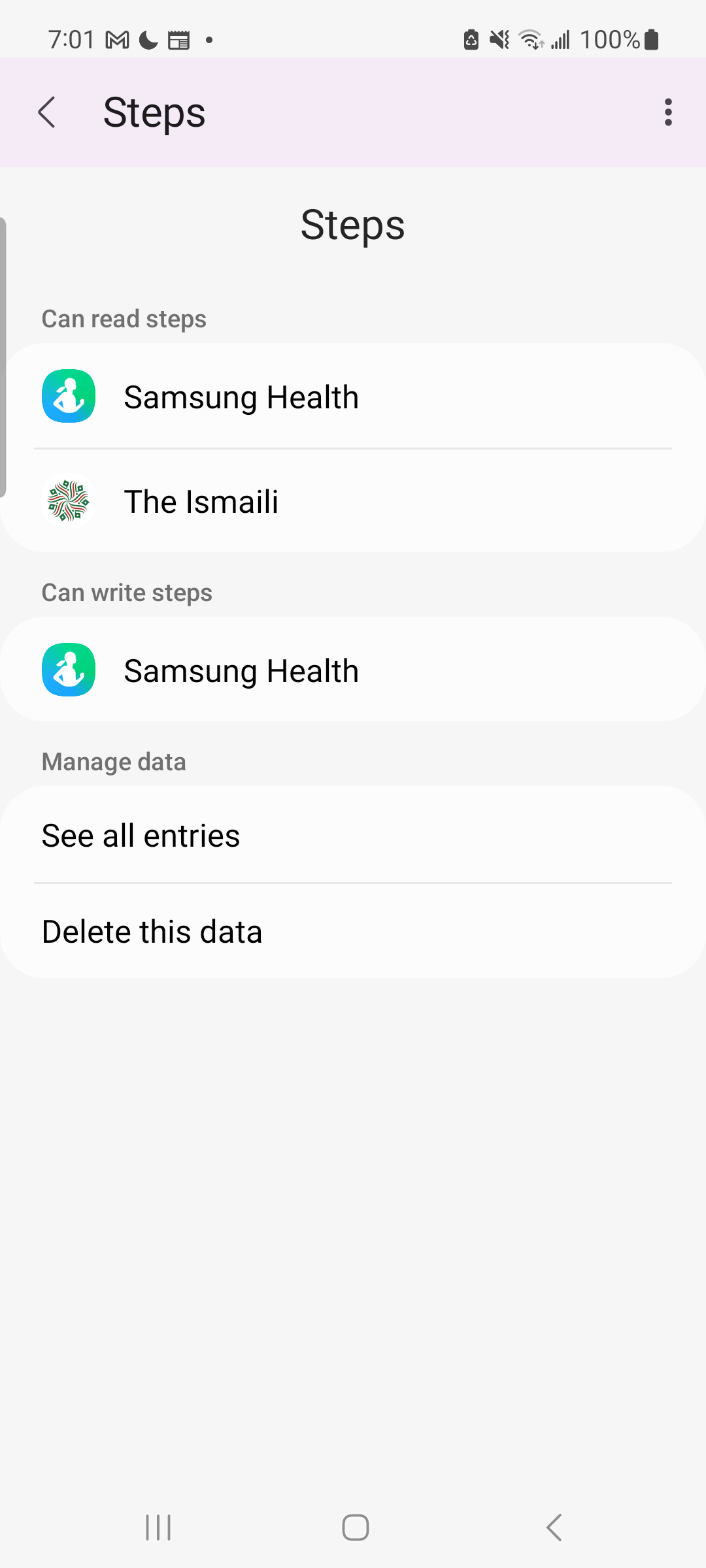
If there is no Activity category at all, nothing has ever written any activity data — that is the clearest possible confirmation.
If that list is empty, you have found the problem. Connect a source app:
- Samsung phone → set up Samsung Health
- Pixel or most other phones → set up Fitbit or Google Fit
- A watch → Garmin, Amazfit and others
If an app is listed but you still see zero, carry on below.
Check our permissions
- In Health Connect, tap App permissions, then The Ismaili.
- All three must be on: Steps, Distance, Active calories burned.
- Return to The Ismaili app and pull down to refresh.
Still zero?
- Did you connect Samsung Health today? It syncs forwards only, so nothing from before you connected will appear. See my older activity is missing.
- Do your steps only update when you open your step app? That is battery optimisation. See my steps stopped updating.
- Is only the energy ring at zero, with steps working? That is expected on Samsung. See the energy ring stays at zero.
What is happening on iPhone
There are two likely causes, and one of them is completely invisible to the app.
You may have tapped Do Not Allow
Apple deliberately does not tell an app when read access has been refused. So the app believes it is connected, and you get a dashboard of zeros instead of a useful error message.
Or you have not been carrying your phone
If that is the case, nothing is wrong. Your iPhone can only count steps it was present for.
Check what you actually allowed
- Open the Health app.
- Tap your profile picture, top right.
- Tap Apps and Services, then The Ismaili.
- Turn on Steps, Distance and Active Energy.
- Go back to The Ismaili app and pull down to refresh.
Still zero?
- Check the Health app itself shows steps. Open Health, then Browse, then Activity, then Steps. If Health shows nothing either, the phone has not recorded any — carry it for a while and check again.
- If Health has steps but the app does not, tell us and mention that Health has data.
Nothing above worked
Tell us what is happening. The form asks for the few details that let us work it out without a long back-and-forth.